D-Link WiFi Gold Coast — Quick Summary
- D-Link COVR mesh and EAGLE PRO AI router supply and installation
- COVR node placement optimised for your Gold Coast home layout
- EAGLE PRO AI automatic network optimisation configured
- QoS, guest network and parental controls set up correctly
- Firmware updated and WPA3 security enabled from day one
- Mydlink app handover included with every install
- ABN 92 636 893 108
Popular D-Link Products for Gold Coast Homes
These are the D-Link models we most commonly supply and install for Gold Coast homes. We cover the COVR mesh and EAGLE PRO AI router ranges.
Wi-Fi 6 · Tri-band Mesh
COVR-X1873
PremiumTop-tier COVR mesh for large Gold Coast homes — tri-band with dedicated backhaul for full-speed coverage.
Wi-Fi 6 · Dual-band Mesh
COVR-X1862
Mid-rangePopular COVR for Gold Coast family homes — strong coverage and easy Mydlink management.
Wi-Fi 6 · AI Optimisation
EAGLE PRO AI AX3200
Mid-rangeAI-powered router that automatically optimises channels and bands for your connected devices.
Wi-Fi 6 · Compact Mesh
COVR-X1850
BudgetAffordable COVR mesh for apartments and smaller homes in Surfers Paradise and Broadbeach.
Wi-Fi 5 · AC2600 · Budget
DIR-2660
BudgetEntry-level D-Link router for units and townhouses needing a reliable single-router solution.
Prices vary by model and installation complexity. Call 07 3041 8993 for a quote.
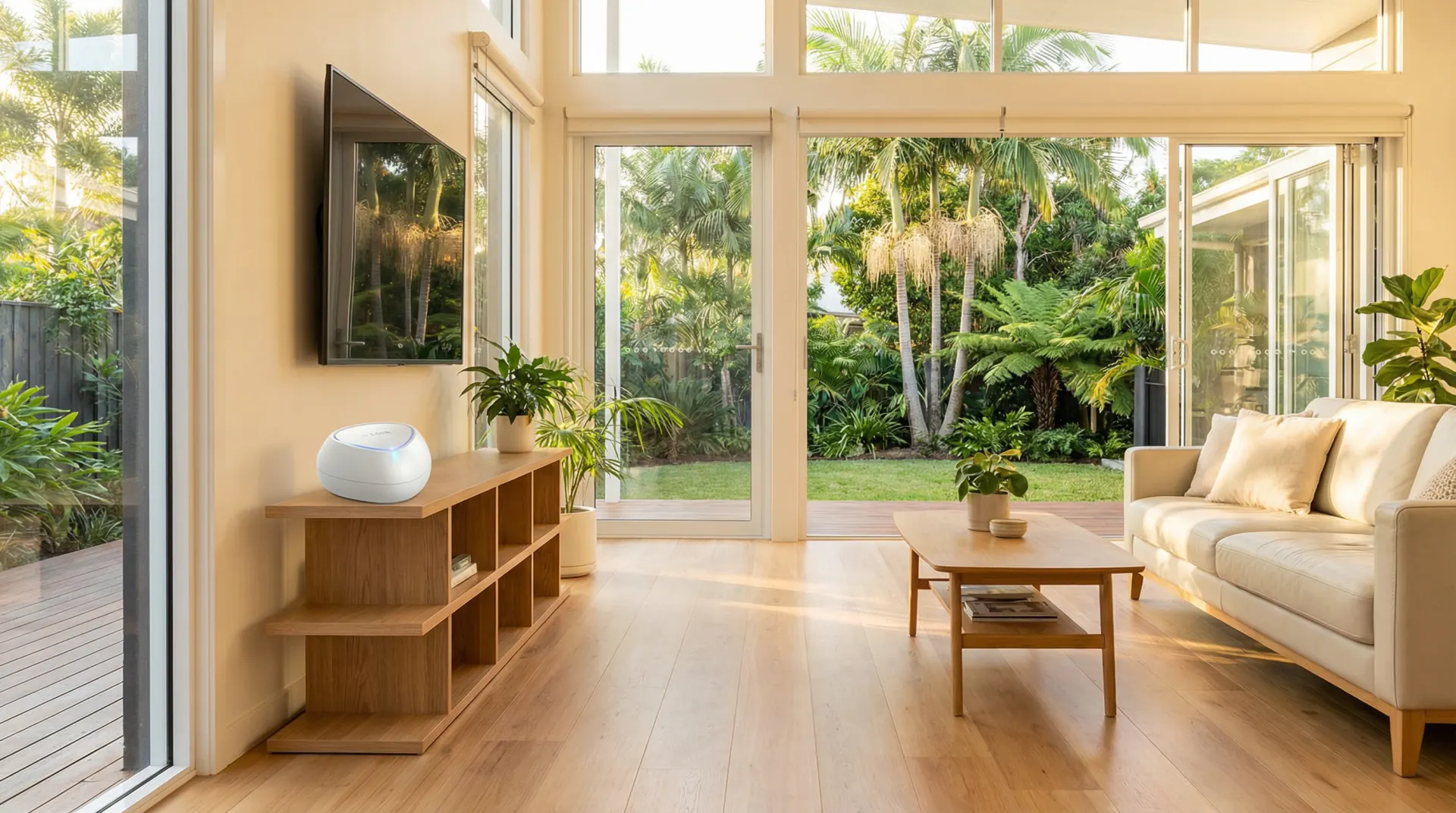
What We Do — D-Link WiFi Gold Coast
From COVR mesh installs to EAGLE PRO AI router configuration, here is what we cover for Gold Coast homes and home offices.
COVR Mesh Installation
We install and configure D-Link COVR mesh systems with nodes optimally placed for complete coverage across your Gold Coast home.
EAGLE PRO AI Configuration
We configure EAGLE PRO AI routers with automatic channel optimisation, traffic management and AI-driven band steering for your household.
QoS & Traffic Management
We configure QoS rules to prioritise streaming, video calls and gaming traffic so your household gets the best experience from your connection.
Security & Guest Network
WPA3 encryption, isolated guest networks, parental controls and automatic firmware updates configured correctly from day one.
Mydlink App Handover
We install the Mydlink app on your phone and walk you through monitoring your network, managing devices and running speed tests.
Troubleshooting & Upgrades
Already have a D-Link router that needs reconfiguring, expanding or troubleshooting? We support existing setups and can add COVR nodes or upgrade hardware.
How a D-Link WiFi Installation Works
Phone Consultation
Tell us about your home — size, layout, current router and the areas with poor signal. We advise on hardware and provide a quote on the call.
Hardware Procurement
We source your D-Link hardware and schedule the installation. Common COVR models are available for fast-turnaround installs across the Gold Coast.
Installation & Configuration
We place nodes, configure COVR mesh or EAGLE PRO AI, set up SSIDs, QoS, guest networks and security. We test coverage in every room before we leave.
Handover & Support
We walk you through the Mydlink app and answer questions. Call 07 3041 8993 if anything comes up after we leave.
D-Link WiFi Installation on the Gold Coast — What to Expect
D-Link WiFi Gold Coast homes benefit from the brand's COVR mesh range and EAGLE PRO AI routers. Gold Coast properties — particularly the large single-level homes common in Robina, Coomera and Varsity Lakes — benefit from mesh coverage rather than a single router placed near the modem. D-Link's COVR system creates a seamless single network across your home, with nodes communicating over a dedicated backhaul to maintain high throughput between units.
D-Link COVR mesh systems are designed for the kind of floor plans common across the Gold Coast. Concrete tilt-slab construction in estates like Coomera, Pimpama and Upper Coomera creates signal barriers that a single router cannot overcome. COVR nodes use a dedicated backhaul connection to maintain a strong mesh link, so the bandwidth available to your devices does not drop as you move further from the primary unit. In homes in Helensvale, Nerang and Mudgeeraba with long single-level floor plans, placing a COVR node at the midpoint of the home typically eliminates dead zones in rear bedrooms and outdoor entertaining areas. EAGLE PRO AI routers use AI-driven band steering to move devices to the optimal frequency band automatically, which reduces the manual configuration needed to get consistent performance across a
The EAGLE PRO AI range adds automatic channel optimisation and AI-driven band steering, which is particularly useful in the Gold Coast's dense suburban areas where many neighbouring networks compete for the same channels. The router analyses your environment and adjusts settings automatically to maintain the best possible performance for your connected devices.
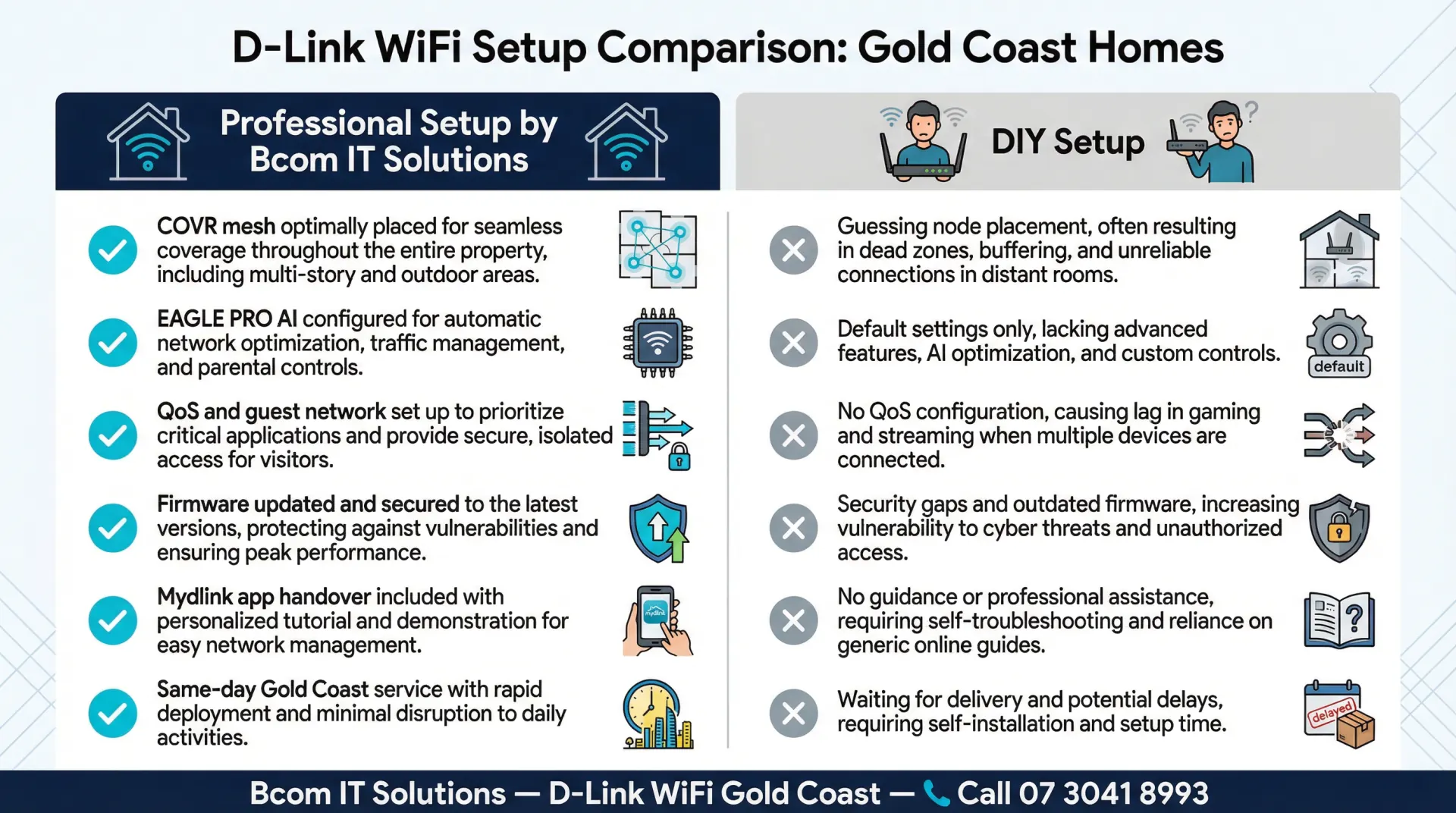
D-Link COVR and EAGLE PRO AI setup involves configuring the D-Link Wi-Fi app, setting up your ISP connection, enabling WPA3 security, and creating a separate guest network for visitors. For EAGLE PRO AI routers, we configure the AI Traffic Optimiser to prioritise video calls and streaming, and enable the built-in parental controls if required. We update D-Link firmware to the latest version, disable WPS if not needed, and run a speed test from each room before we leave. COVR mesh nodes are positioned based on a site survey rather than guesswork, ensuring each node has a strong backhaul signal. We also document your network settings so you have a reference if you need to reconnect a device or change your password
bcom ICT is a locally operated Gold Coast IT services company. We are not affiliated with D-Link and provide independent advice on whether COVR or EAGLE PRO AI is the right solution for your home. In some cases — particularly for homes requiring more advanced VLAN segmentation — we may recommend a different platform. Our goal is the best outcome for your home, not a particular brand sale.
D-Link WiFi Gold Coast — Frequently Asked Questions
D-Link WiFi Installation Across the Gold Coast
We provide D-Link WiFi setup and configuration services across all Gold Coast suburbs. Whether you are in a beachside apartment in Surfers Paradise or a large family home in Coomera, we can help. Bcom Services Pty Ltd — ABN 92 636 893 108 — is a locally operated Gold Coast IT services company. Call 07 3041 8993 to book.
For general WiFi setup and troubleshooting across all brands, see our WiFi installation Gold Coast page.
Why Choose D-Link for Your Gold Coast Home or Business?
D-Link has been a staple in Australian networking for decades, offering a balance of affordability, reliability, and ease of use. For many Gold Coast households and small businesses, a D-Link router or mesh system provides exactly what is needed without the premium price tag associated with enterprise-grade equipment.
The D-Link COVR series, in particular, has proven to be an excellent mesh WiFi solution for typical Gold Coast homes — easily penetrating the brick and block construction common in local architecture to deliver seamless coverage from the front door to the back patio.
bcom ICT has extensive experience installing, configuring, and troubleshooting D-Link networking equipment. Whether you need a simple router replacement or a multi-node mesh system installed, we ensure it is set up correctly the first time.
Common D-Link Issues We Resolve
NBN Connection Problems
Struggling to get your new D-Link router to talk to your NBN box? We configure the correct WAN settings, VLAN tagging, and PPPoE credentials required by your specific Gold Coast internet service provider.
COVR Mesh Node Disconnections
If your D-Link COVR nodes keep dropping offline or showing a flashing red light, the backhaul connection is failing. We reposition nodes and configure wired backhaul where necessary for absolute stability.
Firmware Update Failures
A failed firmware update can "brick" a D-Link router, rendering it useless. We can often recover these devices using TFTP recovery methods, saving you the cost of a replacement.
Book a D-Link WiFi Installation on the Gold Coast
COVR mesh and EAGLE PRO AI routers — supplied, installed and fully set up for your home.
Last updated: March 2026